
Install WoolawayWx
WoolawayWx is not an App Store download. You add it from your browser to your Home Screen so it opens in its own window — that is what unlocks mobile alerts and the phone-friendly app layout.
Add WoolawayWx to your Home Screen first
Install WoolawayWx as a PWA shortcut, then open it from that icon instead of a normal browser tab before enabling alerts.
- Use your browser menu to install WoolawayWx as a PWA shortcut or bookmark-style app.
- Open WoolawayWx from the installed icon instead of the browser tab.
- Go to Alerts and tap Enable Alerts after the app is installed.
Video walkthrough
Screenshot steps
Swipe or use the arrows to follow each screen in order.
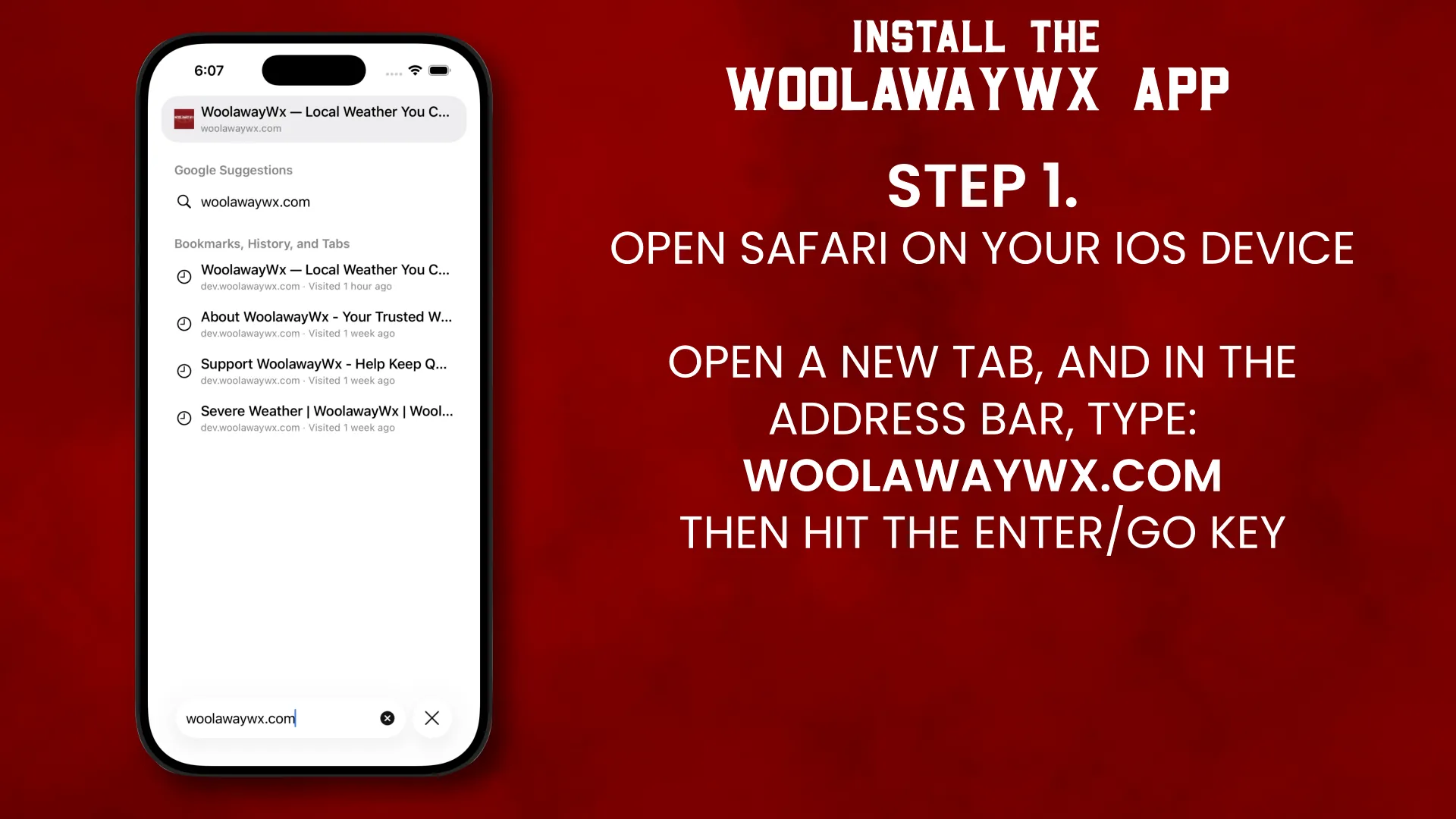
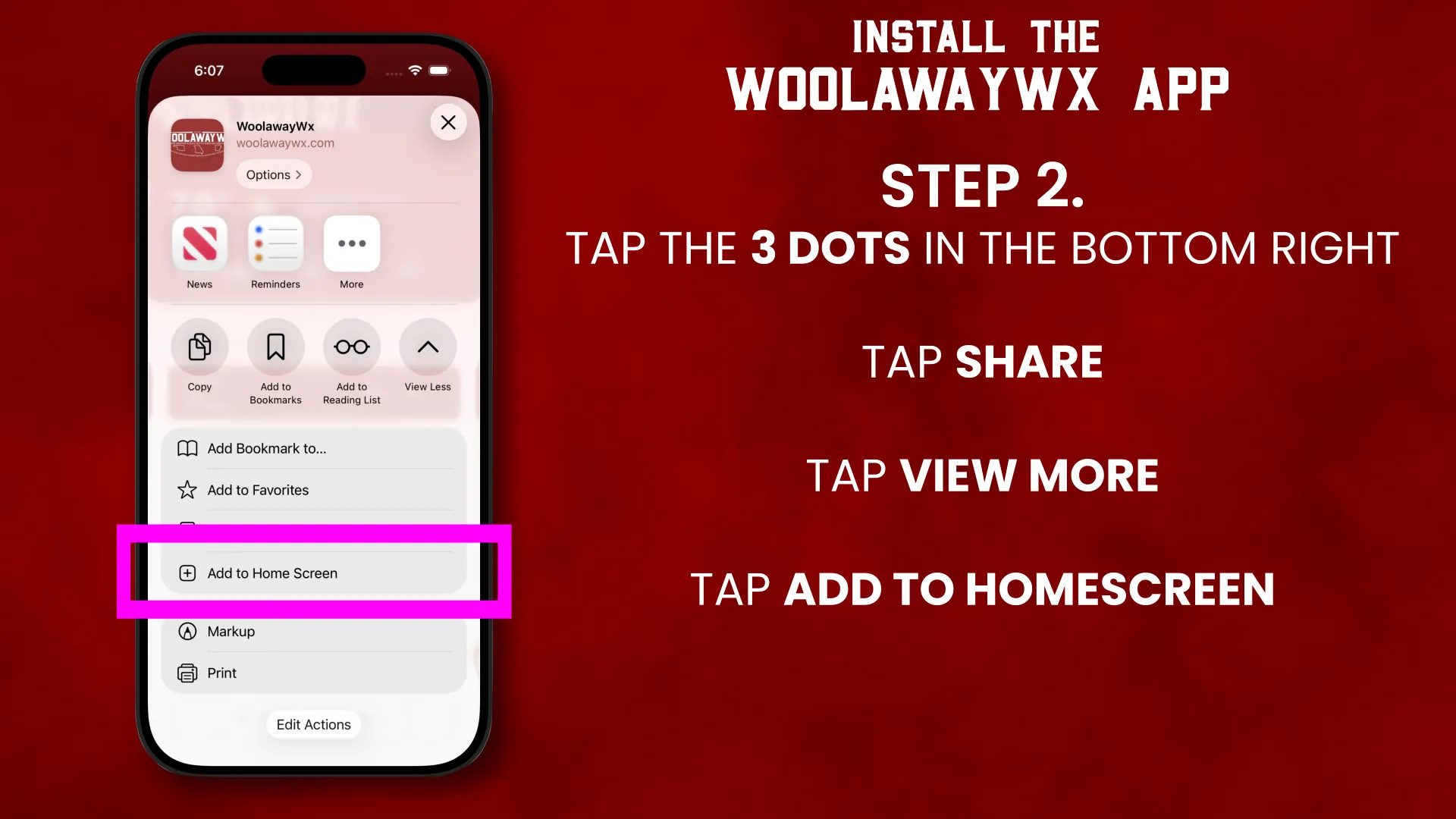
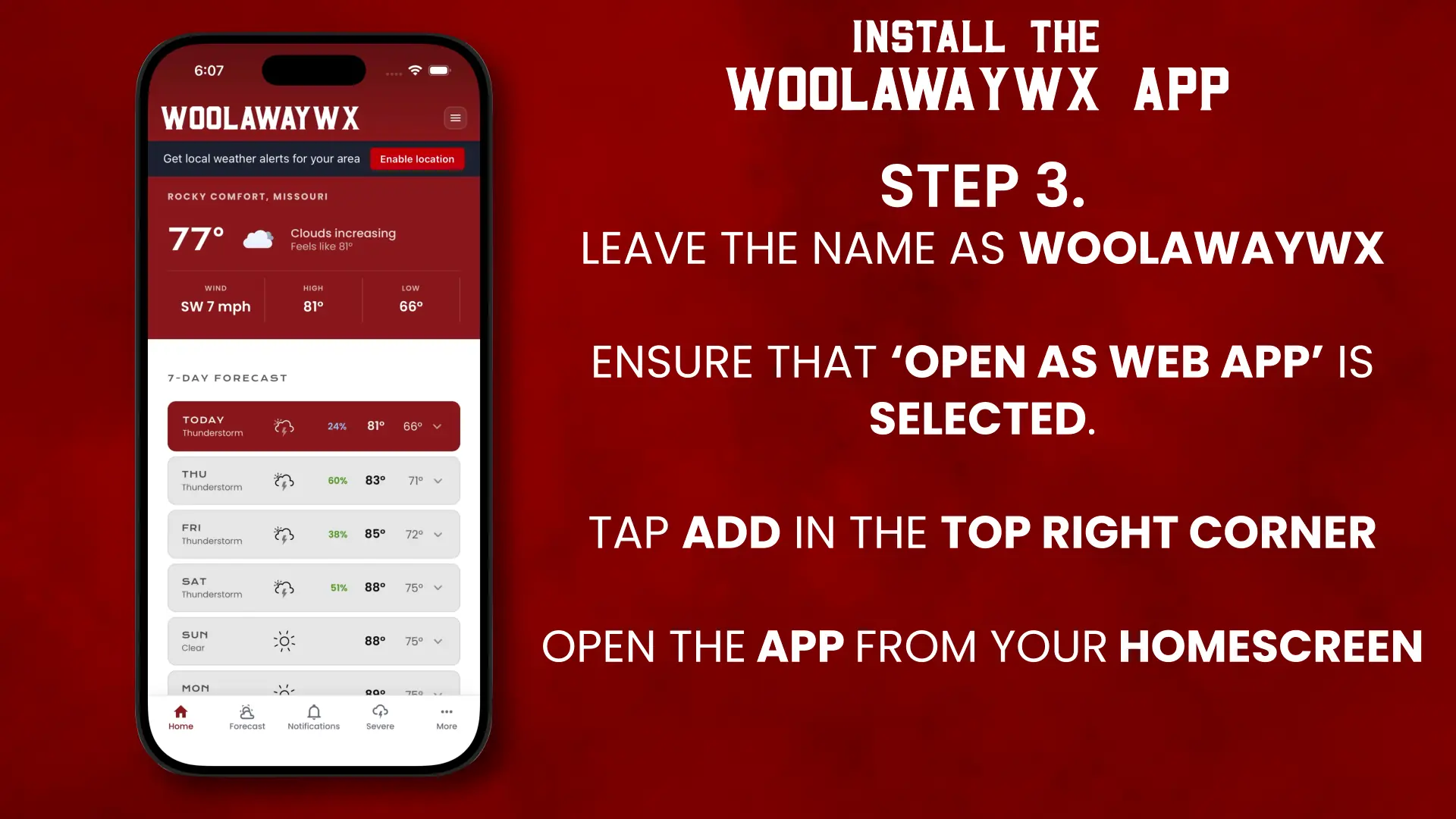
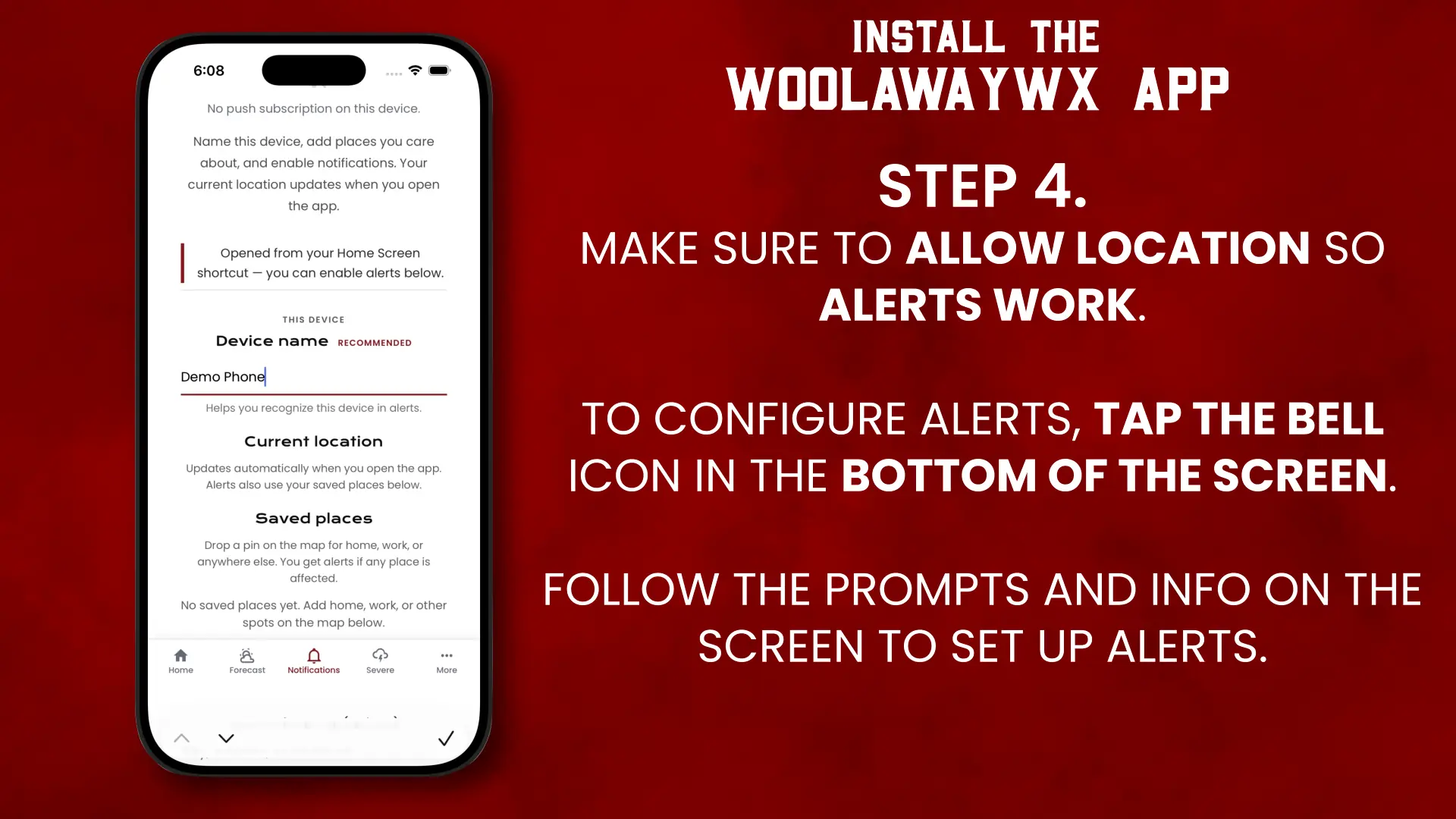
Step 1 of 4
Platform notes
Desktop & other browsers
PWA installation is not supported on all browsers. If you do not see an install option, try using Safari or Chrome on a mobile device.
After installing
- Go to Mobile Weather Alerts and tap Enable Alerts.
- Allow notification permission when your device asks.
- Allow location when prompted if you want localized forecasts and banner alerts.
- On phones, you will see bottom navigation for Home, Forecast, Alerts, and More.
Troubleshooting or privacy questions?